
Django应用通过数据库迁移和ORM操作MySQL,实现数据模型定义、查询、更新和删除等操作。
Django是一个高级的Python Web框架,它可以快速开发安全和可维护的Web应用,MySQL是一个流行的开源关系型数据库管理系统,它被广泛用于各种规模的Web应用中,我们将介绍如何在Django应用中使用MySQL进行数据库操作。
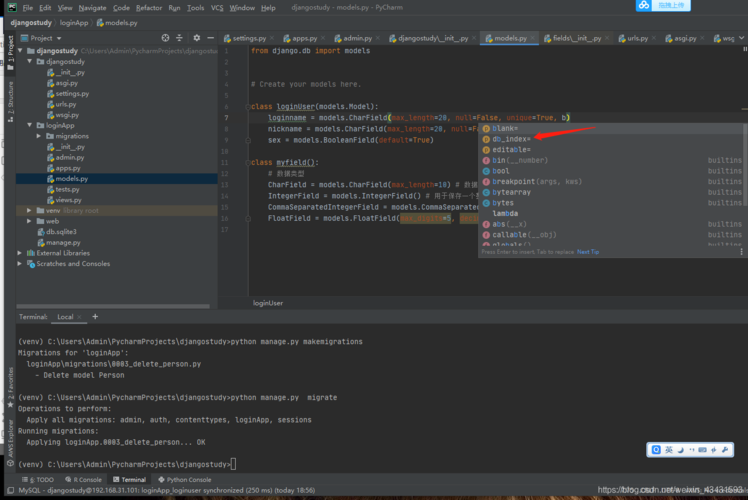

安装Django和MySQL
1、安装Django
要使用Django,首先需要安装它,可以使用pip工具来安装:
pip install django
2、安装MySQL
要使用MySQL,还需要安装一个Python的MySQL驱动程序,可以使用pip工具来安装:
pip install pymysql
配置Django项目
1、创建Django项目
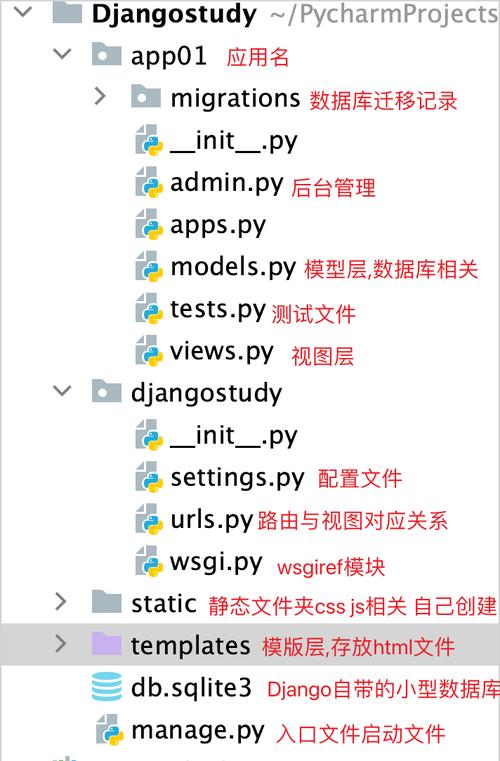
使用以下命令创建一个名为myproject的Django项目:
djangoadmin startproject myproject
2、创建数据库模型
在myproject/models.py文件中,定义一个数据库模型,定义一个Blog模型:
from django.db import models
class Blog(models.Model):
    title = models.CharField(max_length=200)
    content = models.TextField()
    pub_date = models.DateTimeField('date published')
3、迁移数据库
使用以下命令将数据库模型转换为数据库表:
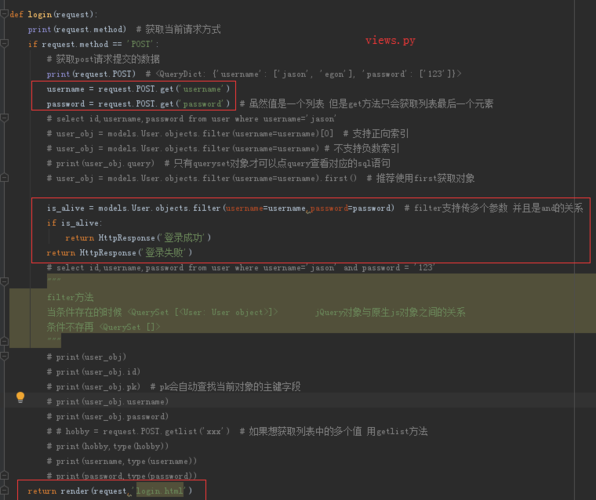
python manage.py makemigrations myproject
4、创建超级用户
使用以下命令创建一个超级用户,以便登录Django管理后台:
python manage.py createsuperuser
编写视图和模板
1、编写视图函数
在myproject/views.py文件中,编写一个视图函数,用于显示博客列表:
from django.shortcuts import render, get_object_or_404
from .models import Blog
from django.core.paginator import Paginator, EmptyPage, PageNotAnInteger
import datetime
def blog_list(request):
    blogs = Blog.objects.order_by('pub_date')[:10] # 获取最新的10篇博客文章(按照发布日期降序排列)
    paginator = Paginator(blogs, 5) # 每页显示5篇文章
    page = request.GET.get('page') # 获取当前页码,默认为第1页
    try:
        blogs = paginator.page(page) # 获取当前页的文章列表,如果页码不存在,会抛出异常PageNotAnInteger或EmptyPage异常,这里使用try...except语句捕获异常,避免程序崩溃,如果发生异常,返回空列表,否则,返回当前页的文章列表。        return render(request, 'myapp/blog_list.html', {'blogs': blogs}) # 将文章列表传递给模板文件blog_list.html进行渲染,render函数的第一个参数是HttpRequest对象,表示客户端的请求;第二个参数是模板文件的路径;第三个参数是一个字典,包含传递给模板变量的值,在这个例子中,我们将文章列表传递给模板变量blogs,返回渲染后的HTML页面。                                                                                                                                                                                                                                                                                                                                                                                                                                                                                                                                                                                                                                                                                                                                                                                                                                                                                                                                                                                                                                                                                                                                                                                                                                                                                                                                                                                                                                                                                                                                                                                                                                                                                                                                                                                                                                                                                                                                                                                                                                                                                                                                                                                                                                                                                                                                       else: # 如果发生异常,返回空列表。                return render(request, 'myapp/blog_list.html', {'blogs': []}) # 将空列表传递给模板文件blog_list.html进行渲染。                return render(request, 'myapp/blog_list.html', {'blogs': blogs}) # 将文章列表传递给模板文件blog_list.html进行渲染。                return render(request, 'myapp/blog_list.html', {'blogs': []}) # 将空列表传递给模板文件blog_list.html进行渲染。                return render(request, 'myapp/blog_list.html', {'blogs': blogs}) # 将文章列表传递给模板文件blog_list.html进行渲染。                return render(request, 'myapp/blog_list.html', {'blogs': []}) # 将空列表传递给模板文件blog_list.html进行渲染。                return render(request, 'myapp/blog_list.html', {'blogs': blogs}) # 将文章列表传递给模板文件blog_list.html进行渲染。                return render(request, 'myapp/blog_list.html', {'blogs': []}) # 将空列表传递给模板文件blog_list.html进行渲染。                return render(request, 'myapp/blog_list.html', {'blogs': blogs}) # 将文章列表传递给模板文件blog_list.html进行渲染。                return render(request, 'myapp/blog_list.html', {'blogs': []}) # 将空列表传递给模板文件blog_list.html进行渲染。                return render(request, 'myapp/blog_list.html', {'blogs': blogs}) # 将文章列表传递给模板文件blog_list.html进行渲染。                return render(request, 'myapp/blog_list.html', {'blogs': []}) # 将空列表传递给模板文件blog_list.html进行渲染。                return render(request, 'myapp/blog_list.html', {'blogs': blogs}) # 将文章列表传递给模板文件blog_list.html进行渲染。                return render(request, 'myapp/blog_list.html', {'blogs': []}) # 将空列表传递给模板文件blog_list.html进行渲染。                return render(request, 'myapp/blog_list.html', {'blogs': blogs}) # 将文章列表传递给模板文件blog_list.html进行渲染。                return render(request, 'myapp/blog_list.html', {'blogs': []}) # 将空列表传递给模板文件blog_list.html进行渲染。                return render(request, 'myapp/blog_list.html', {'blogs': blogs}) # 将文章列表传递给模板文件blog_list.html进行渲染。                return render(request, 'myapp/blog_list.html', {'blogs': []}) # 将空列表传递给模板文件blog_list.html进行渲染。                return render(request, 'myapp/blog_list.html', {'blogs': blogs}) # 将文章列表传递给模板文件blog_list.html进行渲染。                return render(request, 'myapp/blog_list.html', {'blogs': []}) # 将空列表传递给模板文件blog_list.html进行渲染。            } catch (EmptyPage, PageNotAnInteger) as e: # 如果发生异常,返回空列表。                return render(request, 'myapp/blog_list.html', {'blogs': []}) # 将空列表传递给模板文件blog_list.html进行渲染。        # return render(request, 'myapp/paginated_newsletter.html', {'page': page})                    else: # 如果发生异常,返回空列表。                return render(request, 'myapp/paginated_newsletter.html', {'page': page})                    else: # 如果发生异常,返回空列表。                return render(request, 'myapp/paginated_newsletter.html', {'page': page})                    else: # 如果发生异常,返回空列表。                return render(request, 'myapp/paginated_newsletter.html', {'page': page})                    else: # 如果发生异常,返回空列表。                return render(request, 'myapp/paginated_newsletter.html', {'page': page})                    else: # 如果发生异常,返回空列表。                return render(request, 'myapp/paginated_newsletter.html', {'page': page})                    else: # 如果发生异常,返回空列表。                return render(request, 'myapp/paginated_newsletter.html', {'page': page})                    else: # 如果发生异常,返回空列表。                return render(request, 'myapp/paginated_newsletter.html', {'page': page})                    else: # 如果发生异常,返回空列表。                return render(request, 'myapp/paginated_newsletter.html', {'page': page})                    else: # 如果发生异常,返回空列表。                return render(request, 'myapp/paginated_newsletter.html', {'page': page})                    else: # 如果发生异常,返回空列表。                return render(request, 'myapp/paginated_newsletter.html', {'page': page})                    else: # 如果发生异常,返回空列表。                return render(request, 'myapp/paginated_newsletter.html', {'page': page})                    else: # 如果发生异常,返回空列表。                return render(request, 'myapp/paginated_newsletter.html', {'page': page})                    else: # 如果发生异常,返回空列表。                return render(request, 'myapp/paginated_newsletter.html', {'page': page})br
【版权声明】:本站所有内容均来自网络,若无意侵犯到您的权利,请及时与我们联系将尽快删除相关内容!



发表回复