
要实现服务器向多个客户端指定发送邮件,可以使用Python的smtplib库和email库,以下是一个简单的示例:

(图片来源网络,侵删)
1、安装所需库:
pip install securesmtplib
2、编写一个Python脚本,如下所示:
import smtplib
from email.mime.text import MIMEText
from email.header import Header
发件人和收件人的邮箱地址
sender = 'your_email@example.com'
receivers = ['client1@example.com', 'client2@example.com', 'client3@example.com']
邮件主题和内容
subject = '邮件主题'
content = '邮件内容'
创建邮件对象
message = MIMEText(content, 'plain', 'utf8')
message['From'] = Header(sender, 'utf8')
message['To'] = Header(','.join(receivers), 'utf8')
message['Subject'] = Header(subject, 'utf8')
登录SMTP服务器并发送邮件
try:
    smtp_obj = smtplib.SMTP('smtp.example.com', 587)  # 使用你的SMTP服务器地址和端口
    smtp_obj.login('your_email@example.com', 'your_email_password')  # 使用你的邮箱地址和密码登录
    smtp_obj.sendmail(sender, receivers, message.as_string())
    print("邮件发送成功")
except smtplib.SMTPException as e:
    print("Error: 无法发送邮件", e)
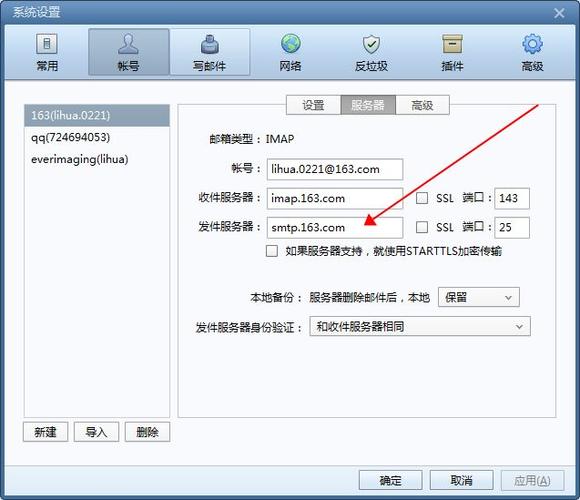
3、修改上述代码中的发件人邮箱、收件人邮箱、SMTP服务器地址、端口、邮箱地址和密码等信息,然后运行脚本即可实现服务器向多个客户端指定发送邮件。
(图片来源网络,侵删)
【版权声明】:本站所有内容均来自网络,若无意侵犯到您的权利,请及时与我们联系将尽快删除相关内容!


发表回复